Skip to content
The range№ 05 DoingApp Store ↗
№ 05 · Summit · On the App Store

Doing.

Tasks for today. Nothing else.

iOS · iPadOSFree to download · Doing Pro is optional
№ 05 · iOS · iPadOS

About Doing.

Doing is a todo app the size of a sticky note. Two lists — Today and Someday — and nothing else: no due dates, no projects, no tags, no accounts.

Everything is a gesture. Swipe right to finish a task, swipe left to set it aside, pull down to add another. Each morning, anything left over from yesterday gets one question — still today? — and you keep it or let it go.

Home Screen widgets you can check things off from. Siri capture. A small streak for showing up. Paper and ink themes, and six more with Doing Pro. On iPad, both lists sit side by side like a notebook. Your lists live on your device and sync through your personal iCloud — we run no servers, use no analytics, and collect nothing.
Two lists

Today and Someday. That's the whole system.

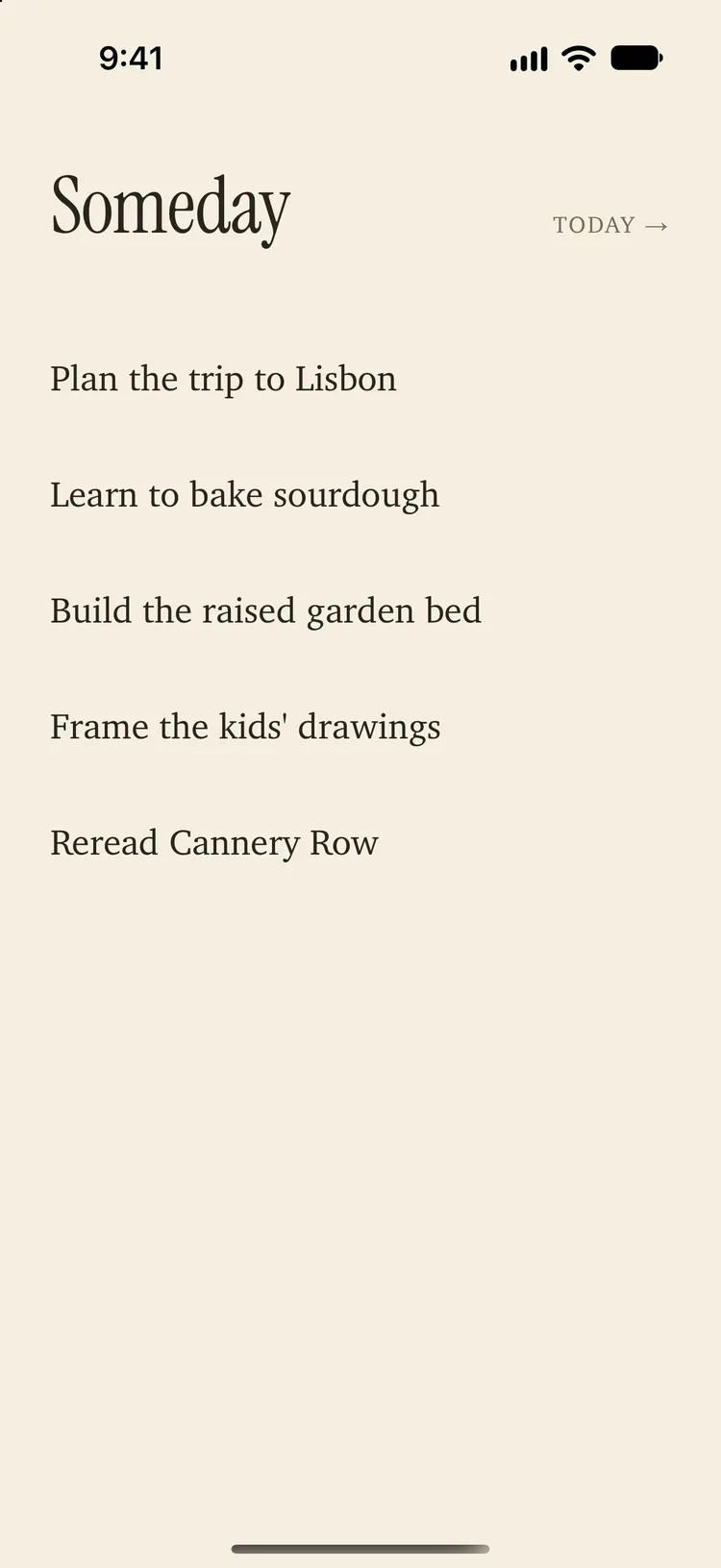
No due dates, no projects, no tags, no accounts. What you're doing today lives on one page; what you're not lives on the other. Moving between them is a swipe. On iPad, the two pages open side by side.

Doing's Someday list on paper: Plan the trip to Lisbon, Learn to bake sourdough, Build the raised garden bed, Frame the kids' drawings, Reread Cannery Row, with a Today link in the corner

Everything is a gesture

Your thumb already knows how this works.

Swipe right to finish a task. Swipe left to set it aside for someday. Pull down from the top to add one — and the Return key keeps the keyboard up, so you can pour in a few at once. Tap to edit, press and hold to reorder.

Still today?

One question each morning.

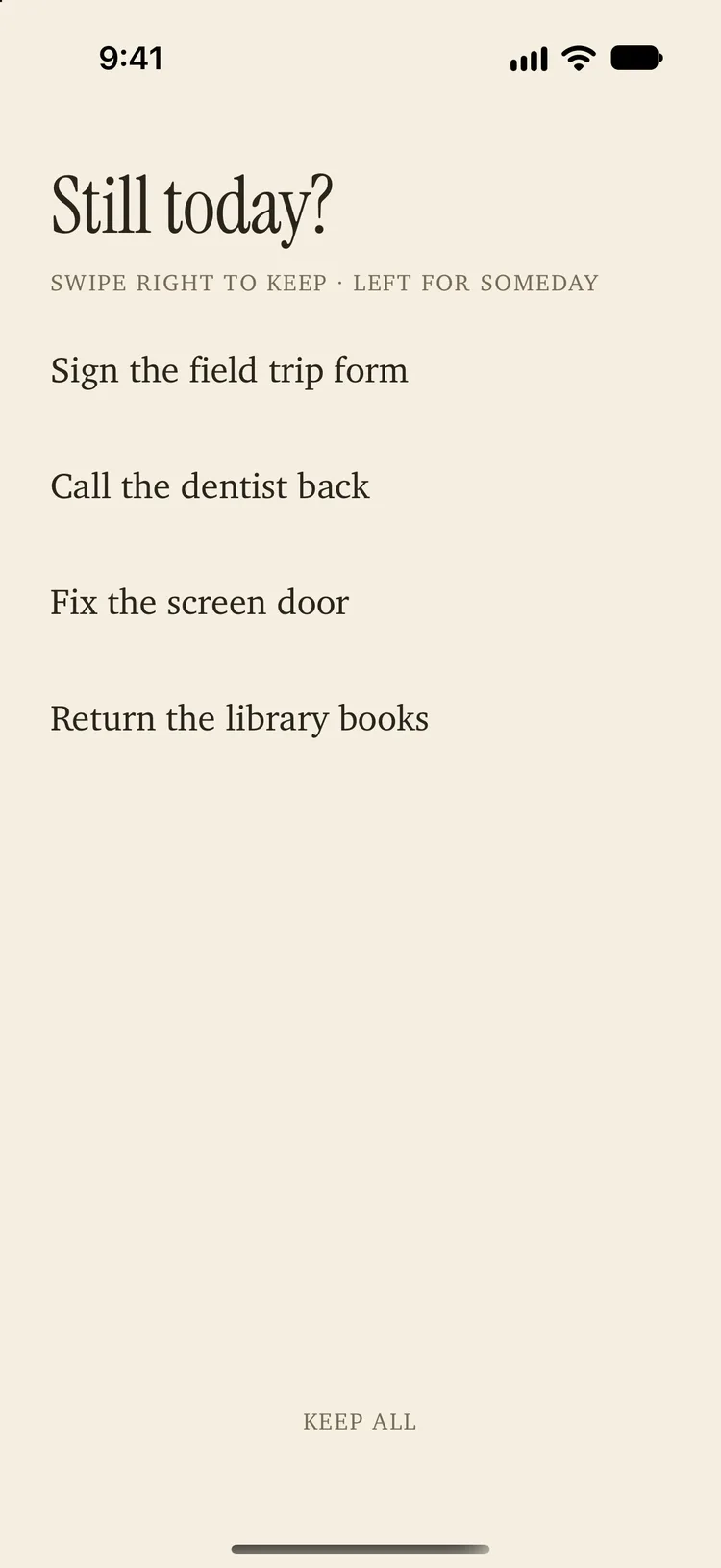
Anything left over from yesterday gets asked once: still today? Keep it, let it go, or keep them all. It's a ritual, not a nag — and a small streak marks the days you showed up.

Doing's morning review titled Still today? with the hint Swipe right to keep, left for Someday, four carried-over tasks, and a Keep all button

Without opening the app

The list comes to you.

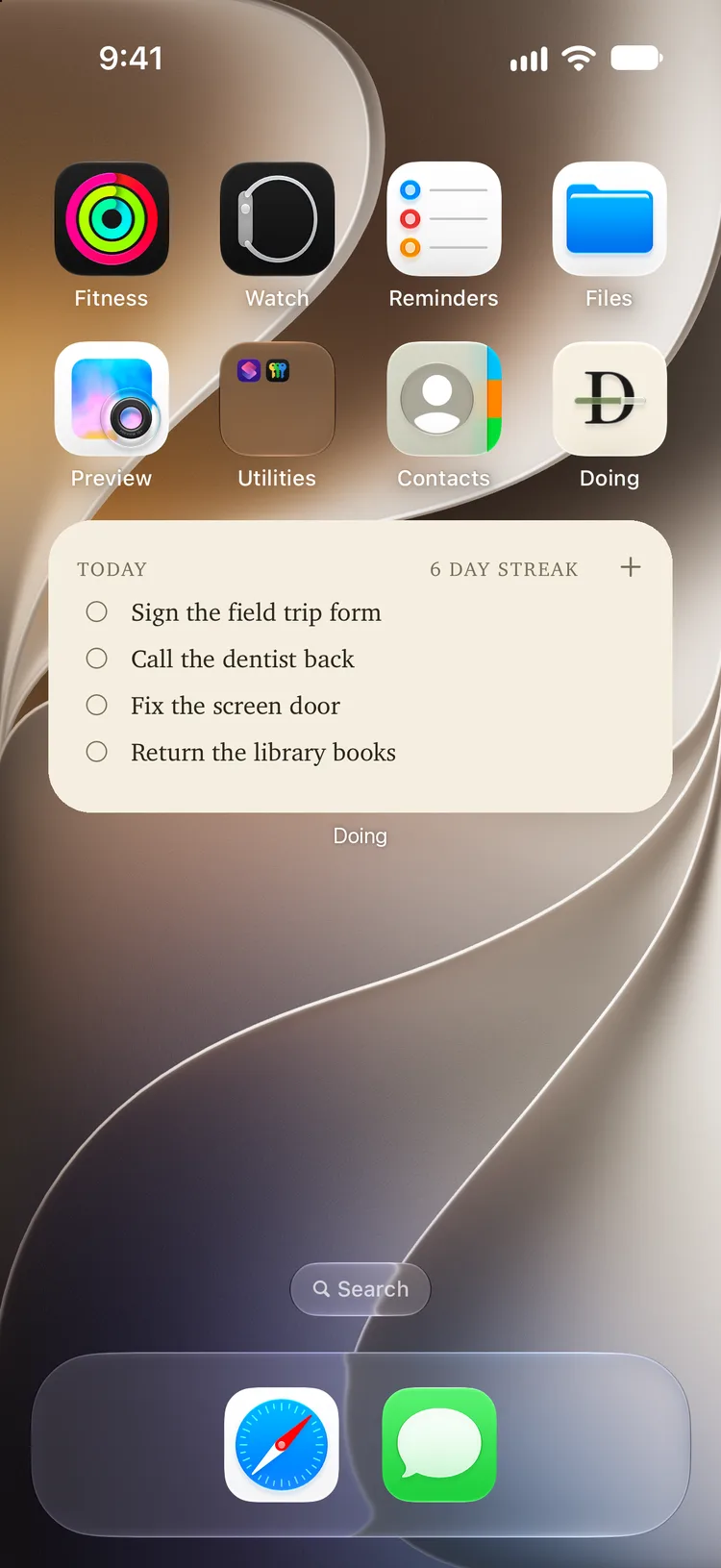
Home Screen and Lock Screen widgets show today's tasks and let you check them off in place. Add by voice — "Add a task to Doing" — or from Shortcuts, Spotlight, and the Action Button.

An iPhone Home Screen with Doing's medium widget under the app icons: Today, a 6 day streak, a plus button for a new task, and four tasks with tap-to-complete rings

Paper and ink

Light by day, dark by night. Both free.

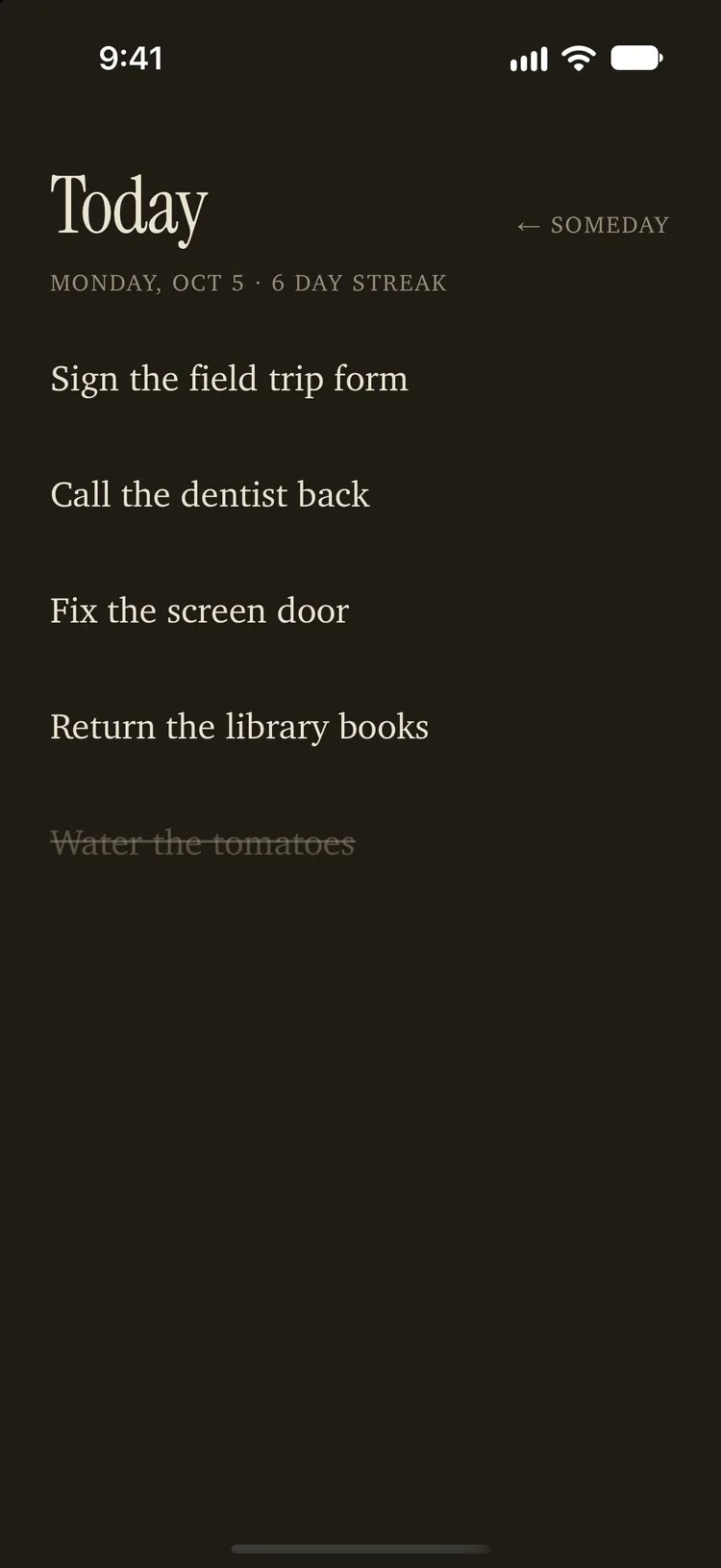
A warm paper look and a dark ink one, set in a serif that reads like a note to yourself. Doing follows your phone into dark mode on its own. Your lists sync through your own iCloud so every device shows the same page. We run no servers and collect nothing.

Doing's Today list in the dark Ink theme: cream serif on near-black, four open tasks and one crossed off

Six more papers

With Doing Pro.

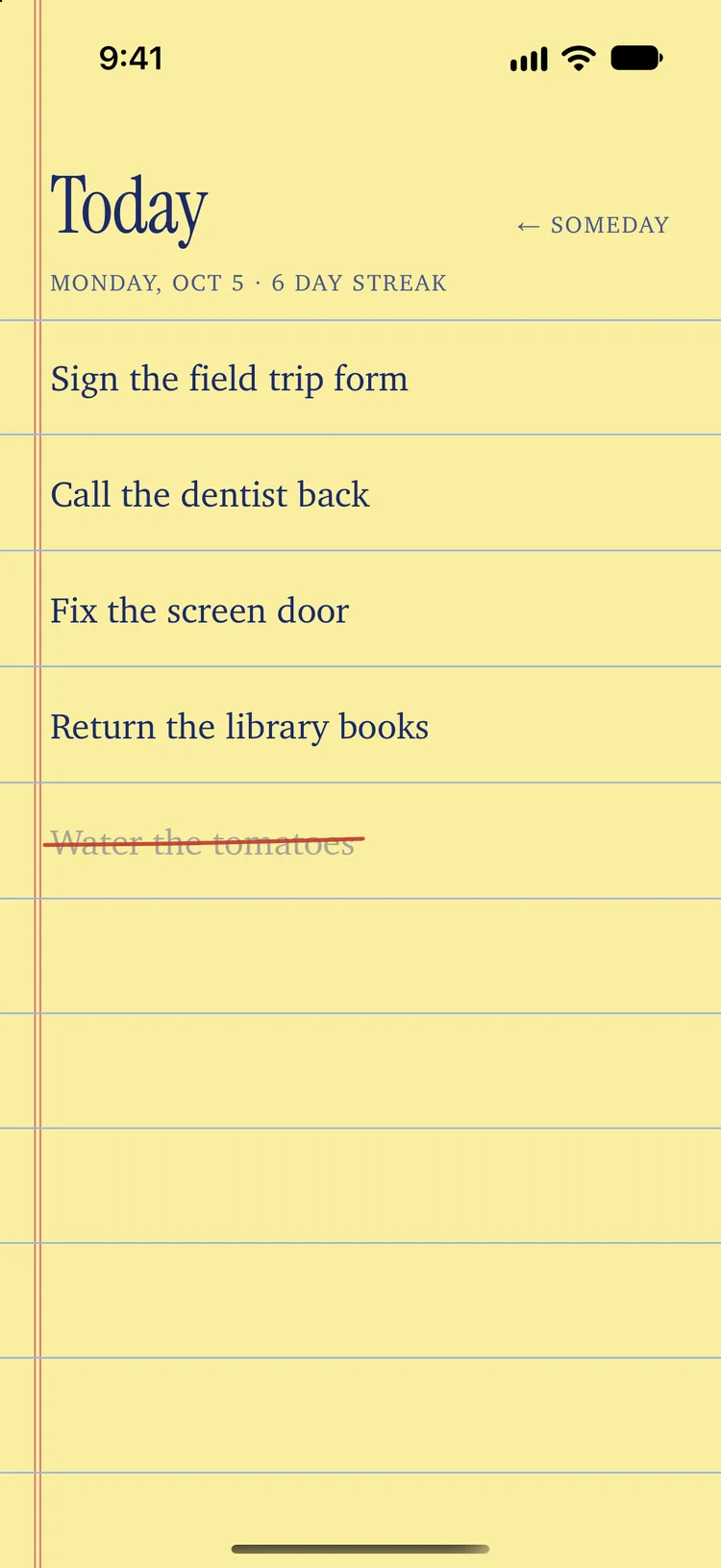
Legal Pad, Blueprint, Riso, Darkroom, Kraft, and Phosphor — each a real surface a list has lived on, down to how a finished task gets crossed off. Try any of them on your own list before you buy, and your widgets match whichever you pick.

Doing's Today list in the Legal Pad theme: canary paper, blue rules, a red double margin, and two finished tasks crossed off in red pen
On the iPad

Both pages at once.

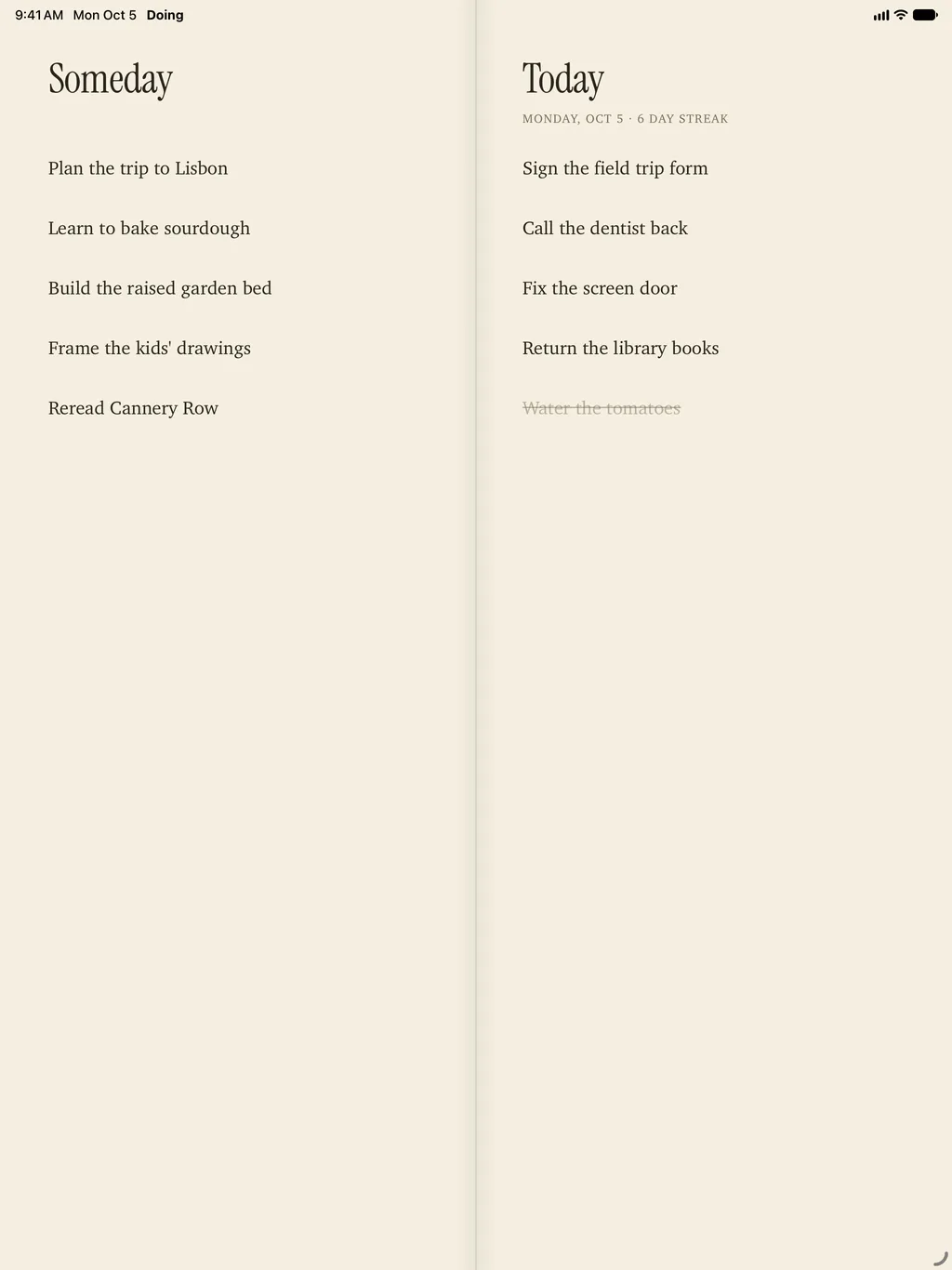
Someday on the left page, Today on the right: the same order as on iPhone, so a swipe left still sends a task toward Someday. With a keyboard, Command‑N adds a task. With Doing Pro, an extra-large widget puts both lists on the Home Screen.

Doing on iPad as a two-page spread: Someday on the left page with Plan the trip to Lisbon and four more, Today on the right with four open tasks, one crossed off, and a 6 day streak
Free to download, with an optional upgrade

Doing Pro.

Free, and stays free

Today and Someday, every gesture, the morning review, and the Paper and Ink themes are free and stay free.

Doing Pro adds

Home Screen and Lock Screen widgets you can check things off from, Siri and Control Center capture, and six more themes: Legal Pad, Blueprint, Riso, Darkroom, Kraft, and Phosphor.

  • One payment of $4.99. No renewal.
Doing Pro is an in-app purchase. US prices; see the subscription terms.
Privacy · updated October 9, 2026

Your data, your devices.

Apex Made does not collect or receive any of your data.